From Court to Concept
From Court to Concept
TPL - Mobile app redesign
TPL - Mobile app redesign
objective
objective
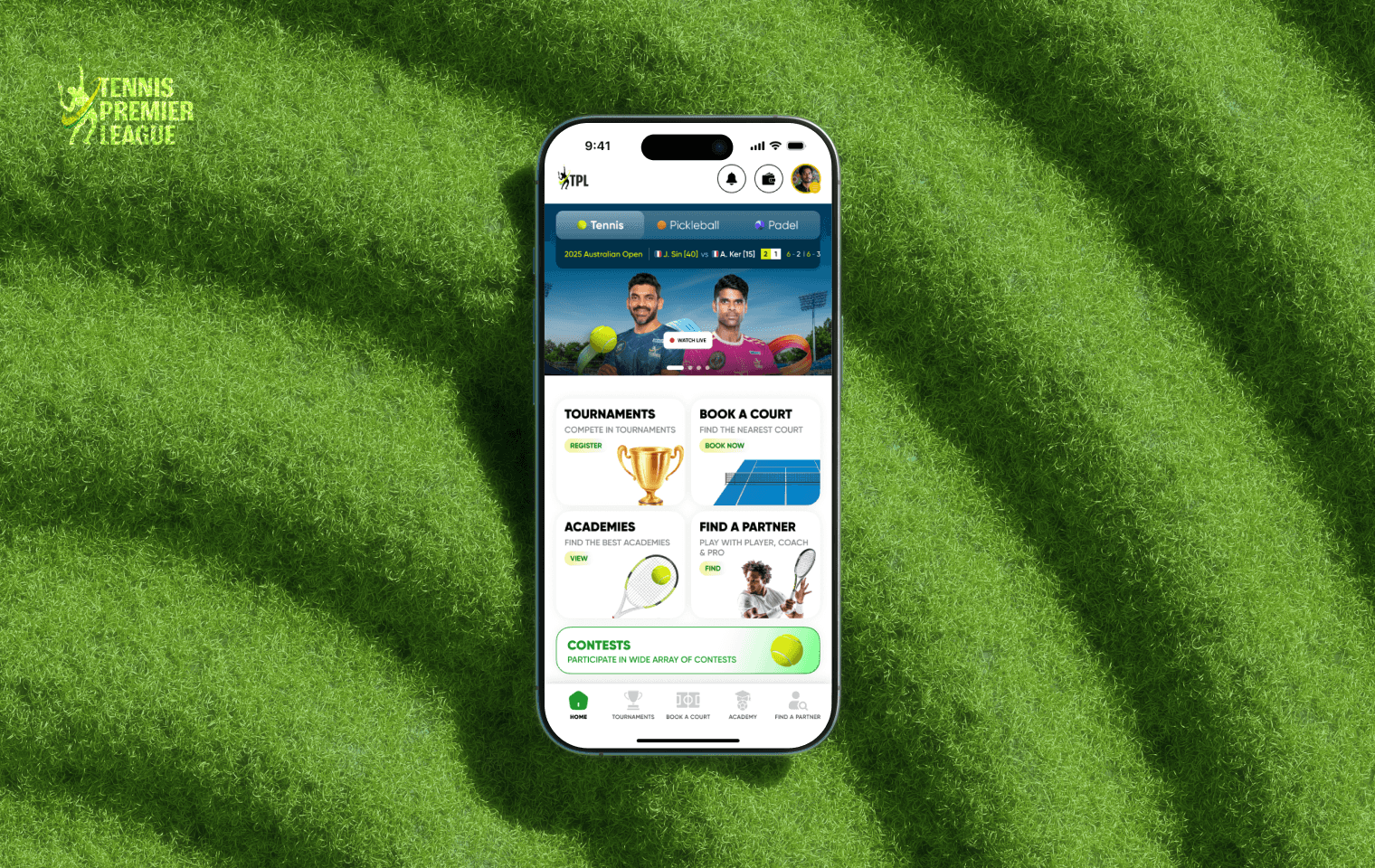
The goal was to redesign TPL into an intuitive and visually engaging sports app that could seamlessly support new as well as current features such as switching between sports, booking courts, tournaments, switch accounts, contests, academy and finding a partner.
The goal was to redesign TPL into an intuitive and visually engaging sports app that could seamlessly support new as well as current features such as switching between sports, booking courts, tournaments, switch accounts, contests, academy and finding a partner.
role
role
Led a design team of two UI/UX designers, working in close collaboration with a UX Lead to conduct research and deliver a complete product redesign.
Led a design team of two UI/UX designers, working in close collaboration with a UX Lead to conduct research and deliver a complete product redesign.
responsibility
responsibility
I took ownership of user research, UX improvements, and a full UI redesign, while also building a scalable design system to ensure consistency and support the app’s long-term growth.
I took ownership of user research, UX improvements, and a full UI redesign, while also building a scalable design system to ensure consistency and support the app’s long-term growth.
Project Timeline
Project Timeline
Design Challenges & Research
Design Challenges & Research
Challenges
Challenges
When we explored the old TPL app, we quickly realized that the biggest hurdles were clunky user flows and an outdated UI. Core journeys such as booking courts, registering for tournaments, and managing player profiles felt unintuitive. While the app technically functioned, the experience lacked seamlessness and didn’t feel modern or engaging.
When we explored the old TPL app, we quickly realized that the biggest hurdles were clunky user flows and an outdated UI. Core journeys such as booking courts, registering for tournaments, and managing player profiles felt unintuitive. While the app technically functioned, the experience lacked seamlessness and didn’t feel modern or engaging.
research
research
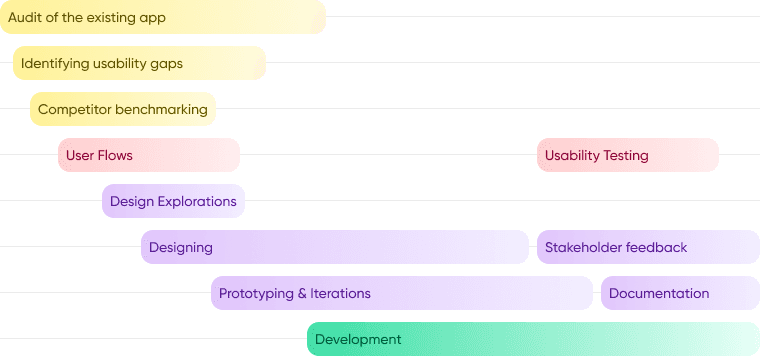
To ground our redesign, we used the existing product as a baseline and focused on uncovering real usability gaps.
To ground our redesign, we used the existing product as a baseline and focused on uncovering real usability gaps.
We walked through the app end-to-end to identify key usability problems.
We walked through the app end-to-end to identify key usability problems.
We researched competitor apps in sports and fitness, analyzing how they handled multi-sport switching, onboarding flows, and community-driven features.
We researched competitor apps in sports and fitness, analyzing how they handled multi-sport switching, onboarding flows, and community-driven features.
We collaborated with the TPL team to align on their bigger vision—to transform the platform into a “one-stop sports ecosystem” rather than just a tournament app.
We collaborated with the TPL team to align on their bigger vision—to transform the platform into a “one-stop sports ecosystem” rather than just a tournament app.
Through these discussions, we discovered that our users weren’t only hardcore tennis players. The community also included beginners, fitness enthusiasts, and parents looking to enroll kids into academies.
Through these discussions, we discovered that our users weren’t only hardcore tennis players. The community also included beginners, fitness enthusiasts, and parents looking to enroll kids into academies.
Design Approach
Design Approach

Design Audit
Design Audit
Login & Verification
Login & Verification
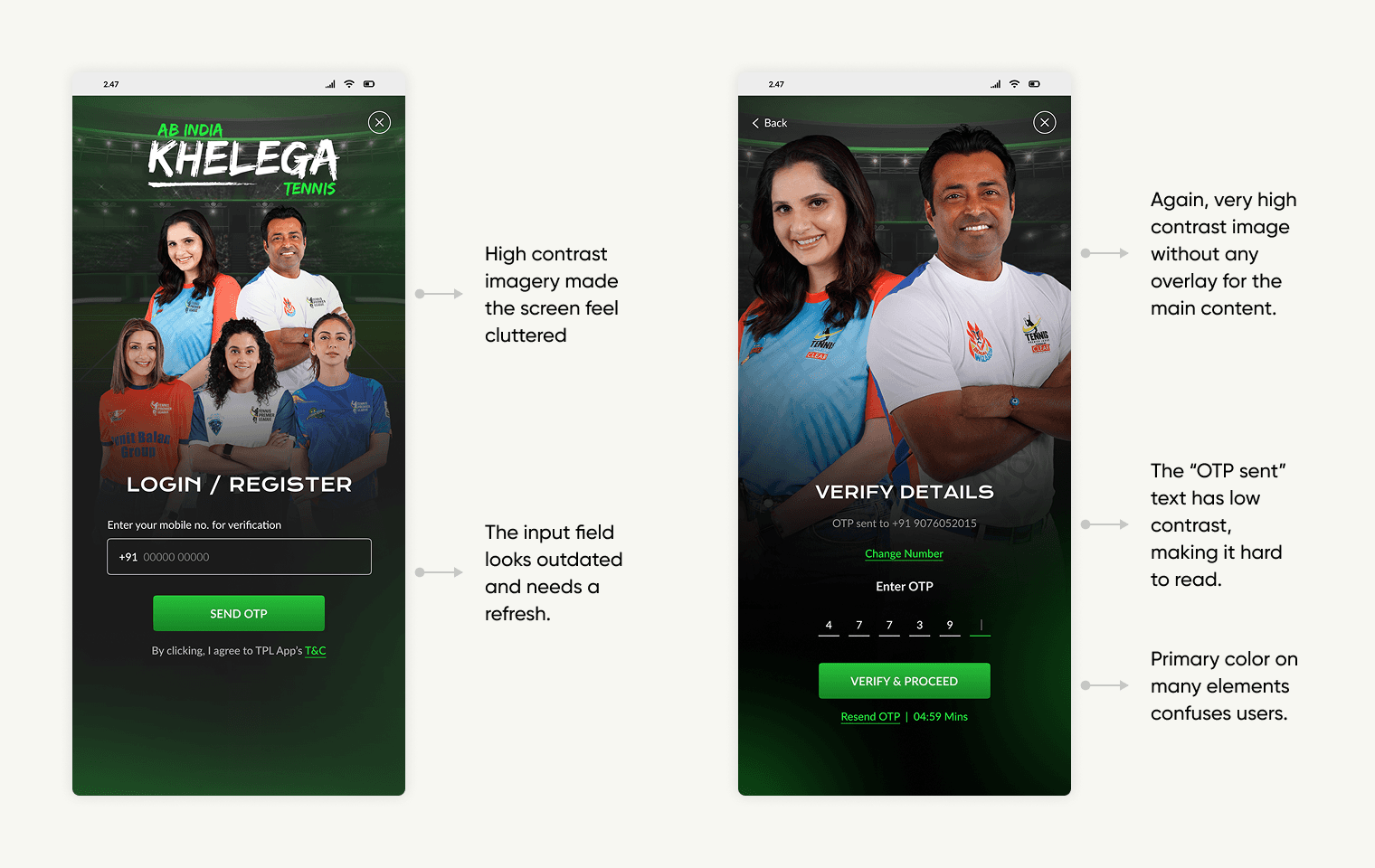
The login screens feel cluttered and visually heavy, which distracts from the login action. There’s no visible TPL branding, CTAs lack clear hierarchy, and text is hard to read due to small fonts and low contrast. A cleaner, more consistent, and accessible flow is needed for quick onboarding.
The login screens feel cluttered and visually heavy, which distracts from the login action. There’s no visible TPL branding, CTAs lack clear hierarchy, and text is hard to read due to small fonts and low contrast. A cleaner, more consistent, and accessible flow is needed for quick onboarding.
home
home
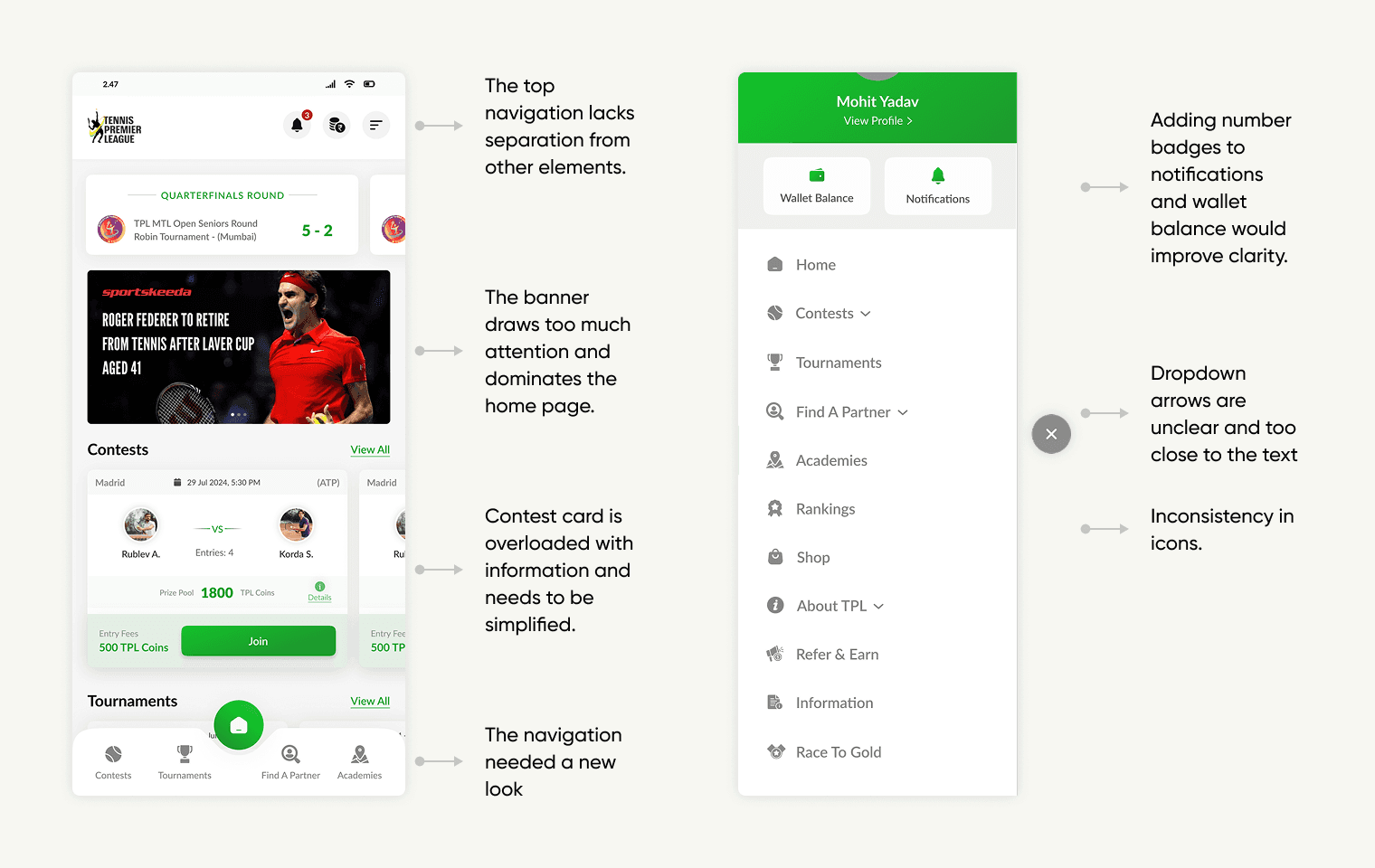
The TPL home screen lacks clear navigation and overwhelms users with a dominant banner and information-heavy contest cards. The outdated navigation and unclear layout prevent users from easily seeing what TPL offers upfront, which was the main goal of the home. Also the side bar needed a nice and intuitive look to enhance the overall experience.
The TPL home screen lacks clear navigation and overwhelms users with a dominant banner and information-heavy contest cards. The outdated navigation and unclear layout prevent users from easily seeing what TPL offers upfront, which was the main goal of the home. Also the side bar needed a nice and intuitive look to enhance the overall experience.
tournaments
tournaments
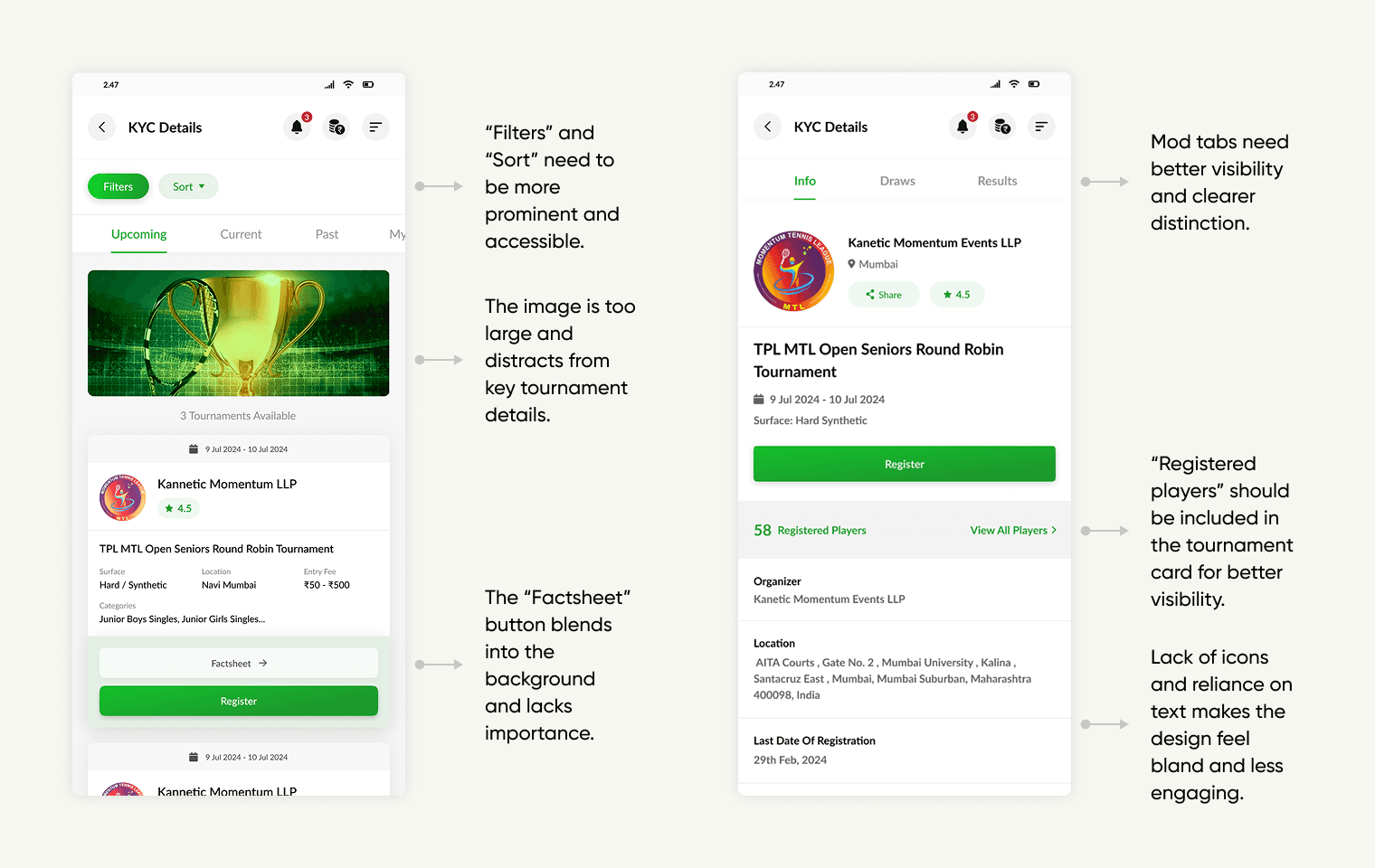
The Tournament screens are cluttered by a large trophy image and lack visual hierarchy. Key actions like “Filters,” “Sort,” and “Factsheet” are hard to spot, and important tournament info, such as registered players, is not immediately visible. Overuse of text and weak tab distinction make the design bland.
The Tournament screens are cluttered by a large trophy image and lack visual hierarchy. Key actions like “Filters,” “Sort,” and “Factsheet” are hard to spot, and important tournament info, such as registered players, is not immediately visible. Overuse of text and weak tab distinction make the design bland.
academies
academies
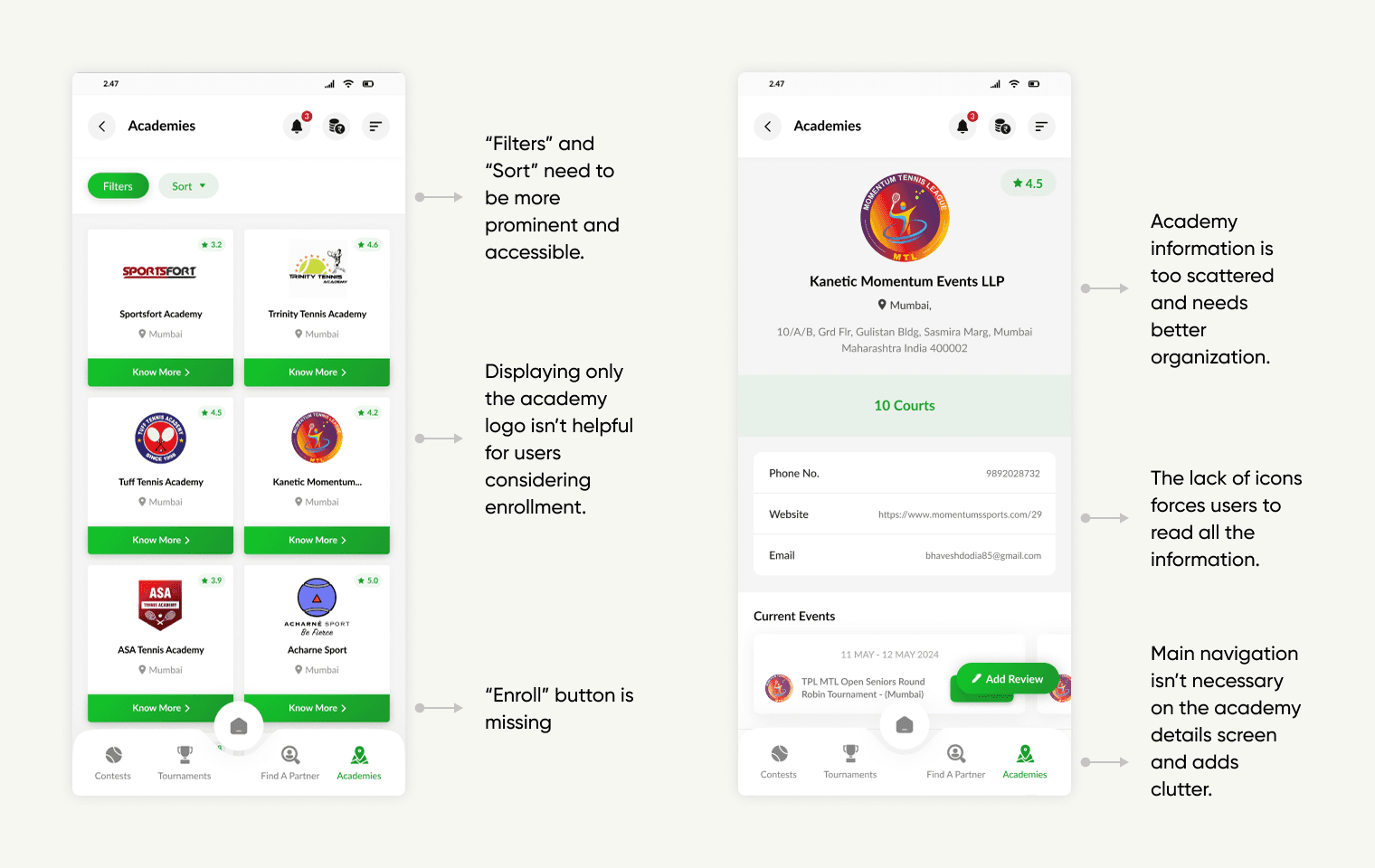
The academies screens lack visual engagement and clear organization. Filters, sort options, and ratings aren’t prominent, information is scattered, and the main navigation adds clutter on the details screen.
The academies screens lack visual engagement and clear organization. Filters, sort options, and ratings aren’t prominent, information is scattered, and the main navigation adds clutter on the details screen.
find a partner
find a partner
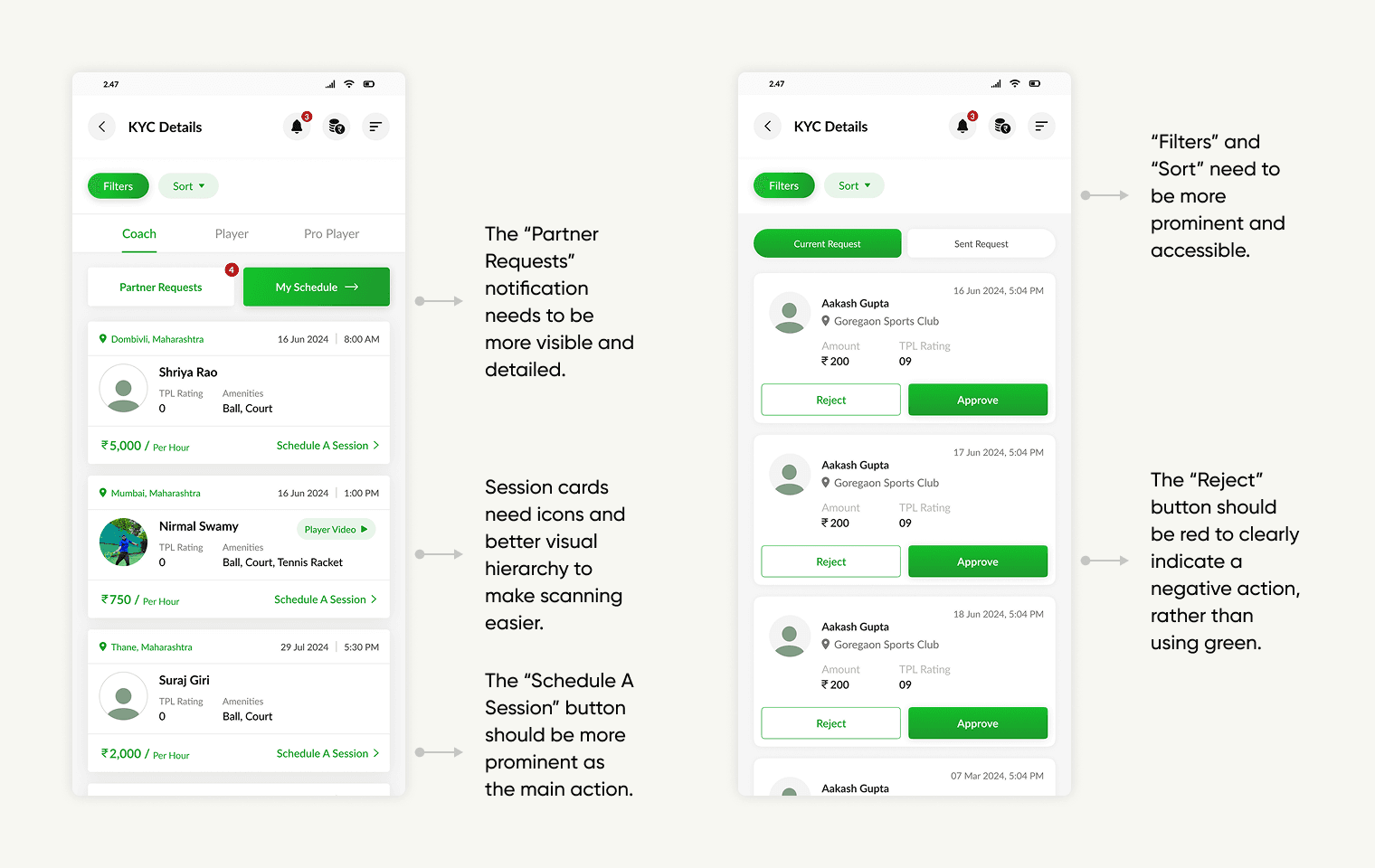
The Find a Partner screens lack clear visual hierarchy and action cues. “Filters,” “Sort,” and notifications need to be more prominent, session cards require icons for faster scanning, and the “Reject” button should be red to indicate a negative action.
The Find a Partner screens lack clear visual hierarchy and action cues. “Filters,” “Sort,” and notifications need to be more prominent, session cards require icons for faster scanning, and the “Reject” button should be red to indicate a negative action.
contests
contests
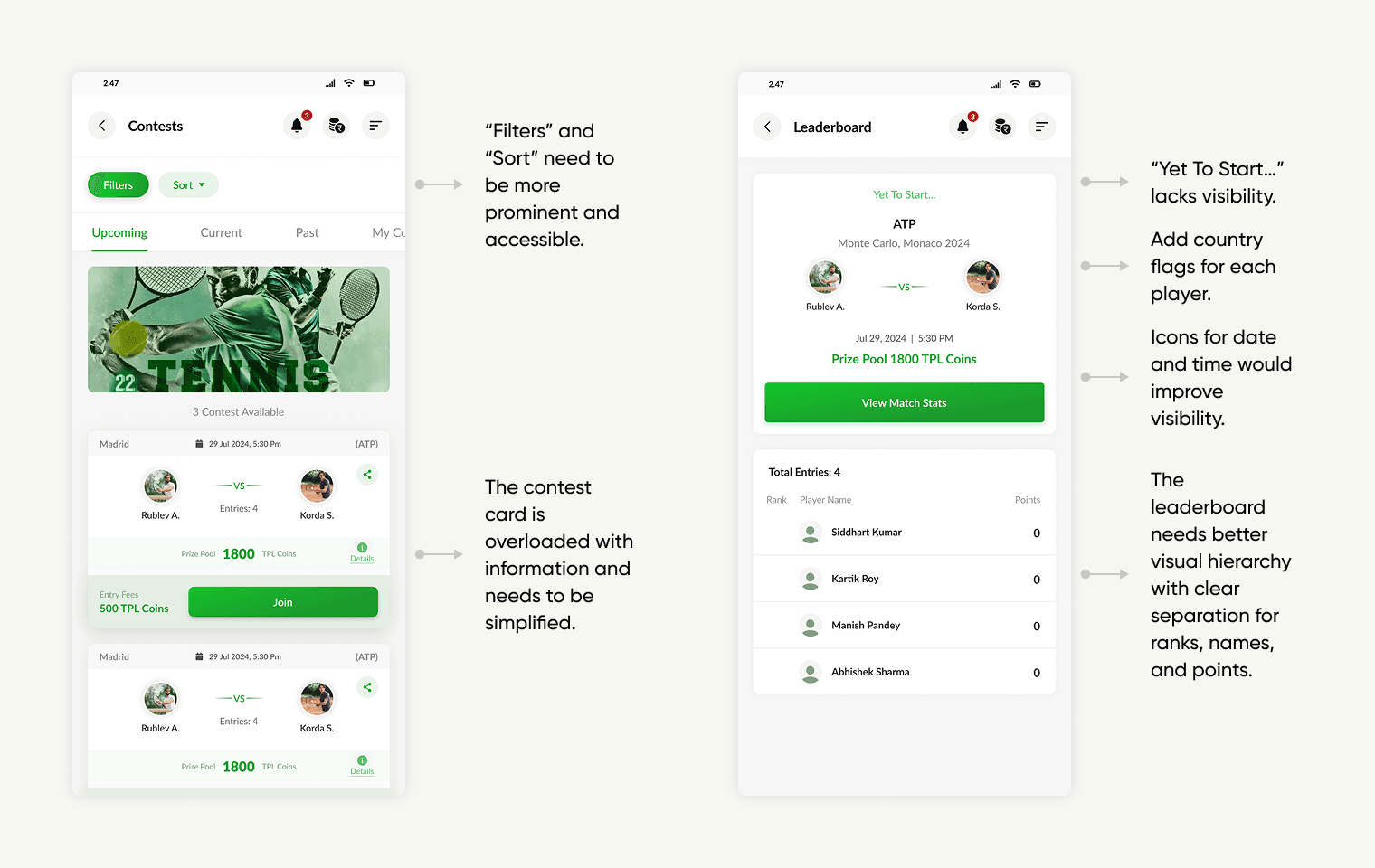
The Contests and Leaderboard screens are cluttered and lack visual hierarchy. Simplifying contest cards, making filters more prominent, and adding icons would greatly improve clarity and engagement.
The Contests and Leaderboard screens are cluttered and lack visual hierarchy. Simplifying contest cards, making filters more prominent, and adding icons would greatly improve clarity and engagement.
audit summary
audit summary
This audit identifies key flaws in the current app and pinpoints areas for improvement, from minor CTA adjustments to major UI enhancements. In this case study, I have focused on essential screens and core features of the TPL app.
This audit identifies key flaws in the current app and pinpoints areas for improvement, from minor CTA adjustments to major UI enhancements. In this case study, I have focused on essential screens and core features of the TPL app.
Visual Exploration
Visual Exploration
UI Redesign
UI Redesign
Login
Login
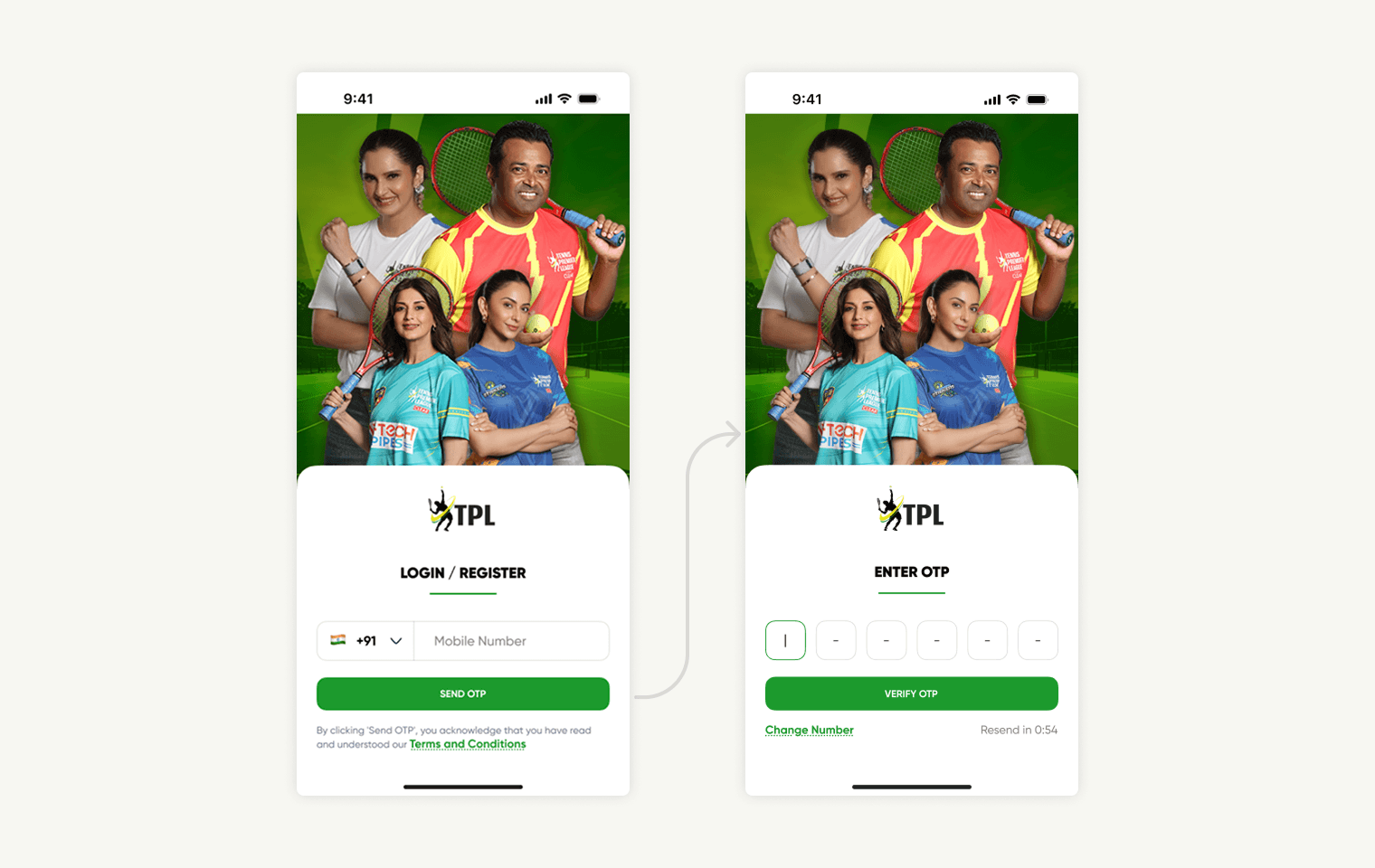
As a team, we improved the login screens by removing visual clutter and simplifying the layout to keep the focus on the login action. We introduced clear TPL branding for instant recognition and trust, and organized the call-to-action buttons with a distinct hierarchy to guide users smoothly. Font sizes and contrast were increased to enhance readability, and overall consistency and accessibility were prioritized to make onboarding quick and welcoming for everyone.
As a team, we improved the login screens by removing visual clutter and simplifying the layout to keep the focus on the login action. We introduced clear TPL branding for instant recognition and trust, and organized the call-to-action buttons with a distinct hierarchy to guide users smoothly. Font sizes and contrast were increased to enhance readability, and overall consistency and accessibility were prioritized to make onboarding quick and welcoming for everyone.
home
home
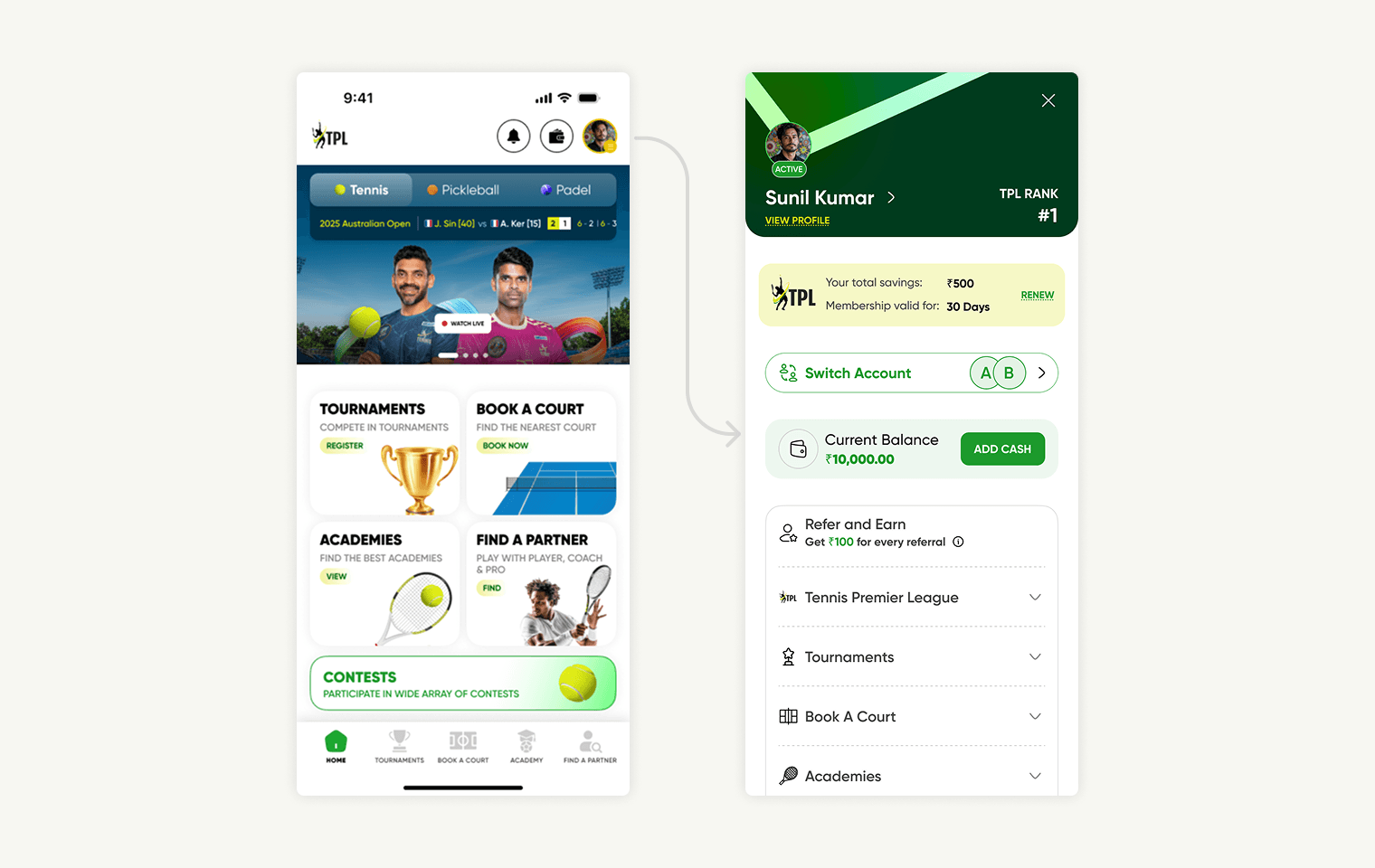
Our primary goal in designing the home screen was to highlight TPL’s core features right from the start. After several rounds of iteration, we chose bento cards as the solution, as they effectively showcase the platform’s main offerings - Tournaments, Book a Court, Academies, Find a Partner and Contests.
Also for the sidebar, we introduced three new features for a better user experience: a section showing total savings and a renew button for membership management, a switch account option for seamless access to multiple accounts, and an updated wallet displaying the current balance with an easy way to add more funds.
Our primary goal in designing the home screen was to highlight TPL’s core features right from the start. After several rounds of iteration, we chose bento cards as the solution, as they effectively showcase the platform’s main offerings - Tournaments, Book a Court, Academies, Find a Partner and Contests.
Also for the sidebar, we introduced three new features for a better user experience: a section showing total savings and a renew button for membership management, a switch account option for seamless access to multiple accounts, and an updated wallet displaying the current balance with an easy way to add more funds.
Tournaments
Tournaments
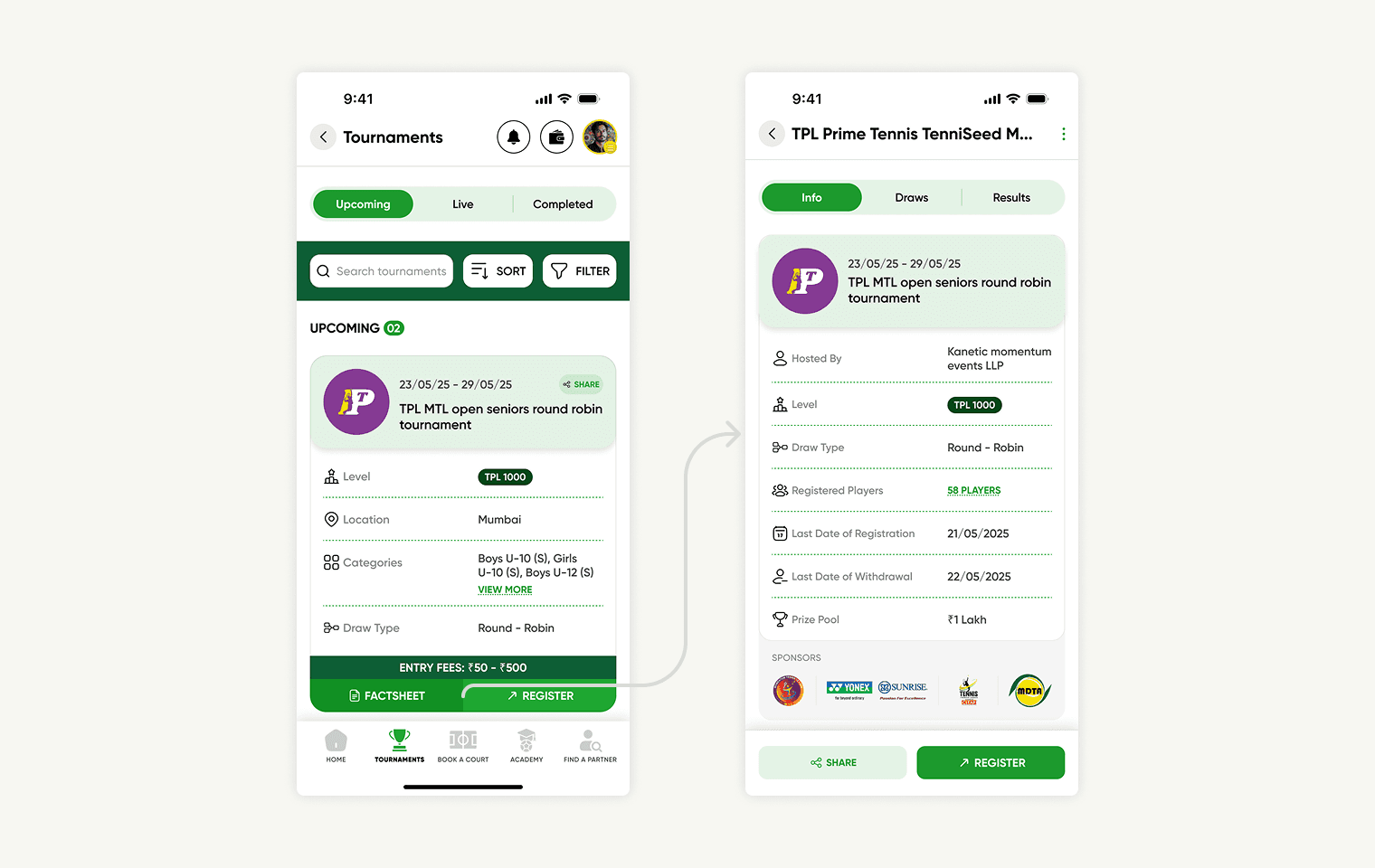
We tried improving the Tournament screens by reducing visual clutter and scaling down the trophy image to bring focus to essential information. We enhanced the visual hierarchy so that key actions like “Filters,” “Sort,” and “Factsheet” are now clearly visible and easy to access. Tournament details, including registered players, are prominently displayed for quick reference. We also introduced icons and better tab distinction to break up text-heavy sections, making the design more engaging and easier to navigate.
We tried improving the Tournament screens by reducing visual clutter and scaling down the trophy image to bring focus to essential information. We enhanced the visual hierarchy so that key actions like “Filters,” “Sort,” and “Factsheet” are now clearly visible and easy to access. Tournament details, including registered players, are prominently displayed for quick reference. We also introduced icons and better tab distinction to break up text-heavy sections, making the design more engaging and easier to navigate.
academies
academies
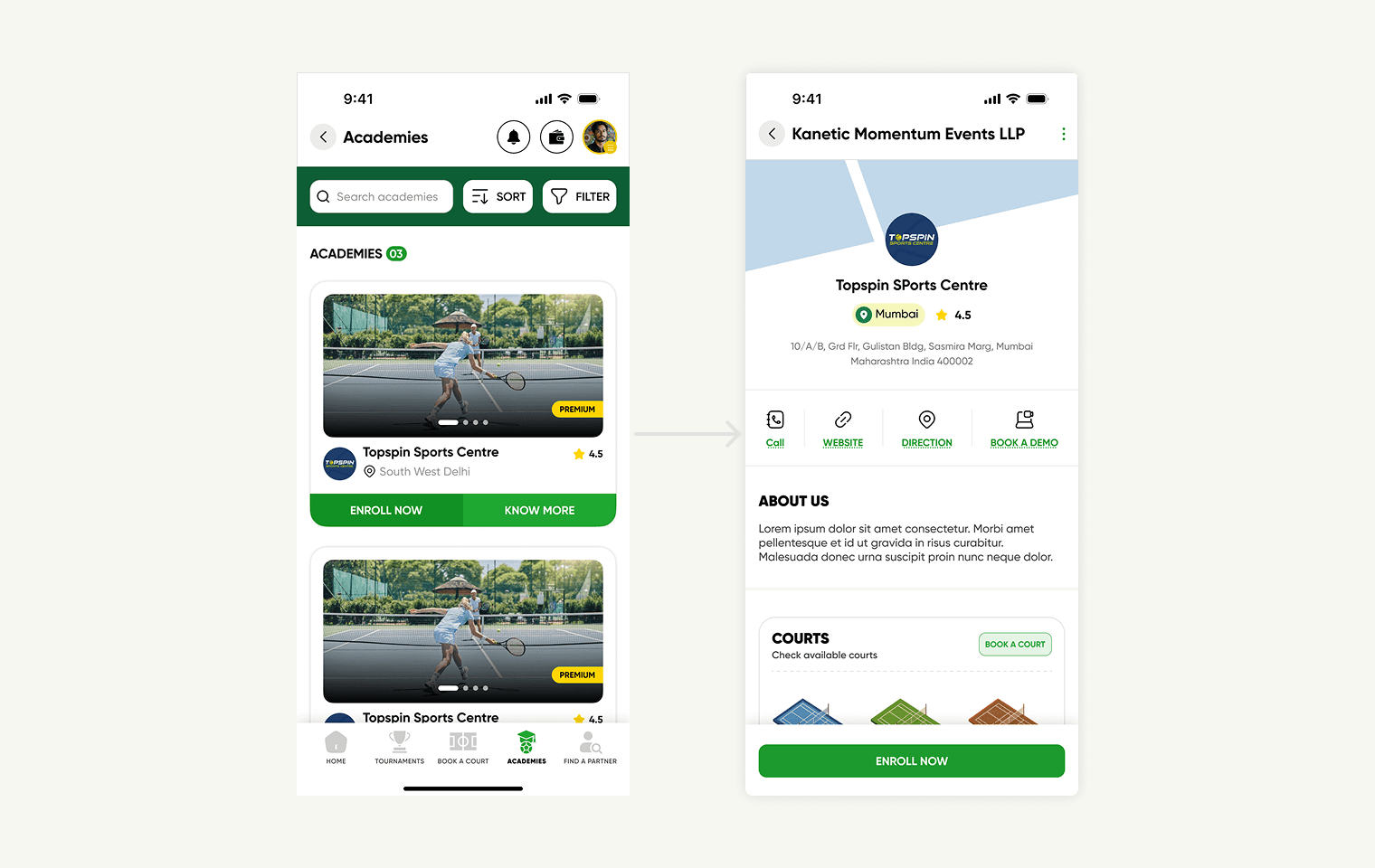
Rather than emphasizing logos as in the previous app, we shifted our focus to academy galleries, giving users a visual glimpse of each academy. The design is intentionally simple, displaying key information—phone number, website, address, and maps—upfront. For users who are undecided, we also included an easy option to book a demo.
Rather than emphasizing logos as in the previous app, we shifted our focus to academy galleries, giving users a visual glimpse of each academy. The design is intentionally simple, displaying key information—phone number, website, address, and maps—upfront. For users who are undecided, we also included an easy option to book a demo.
find a partner
find a partner
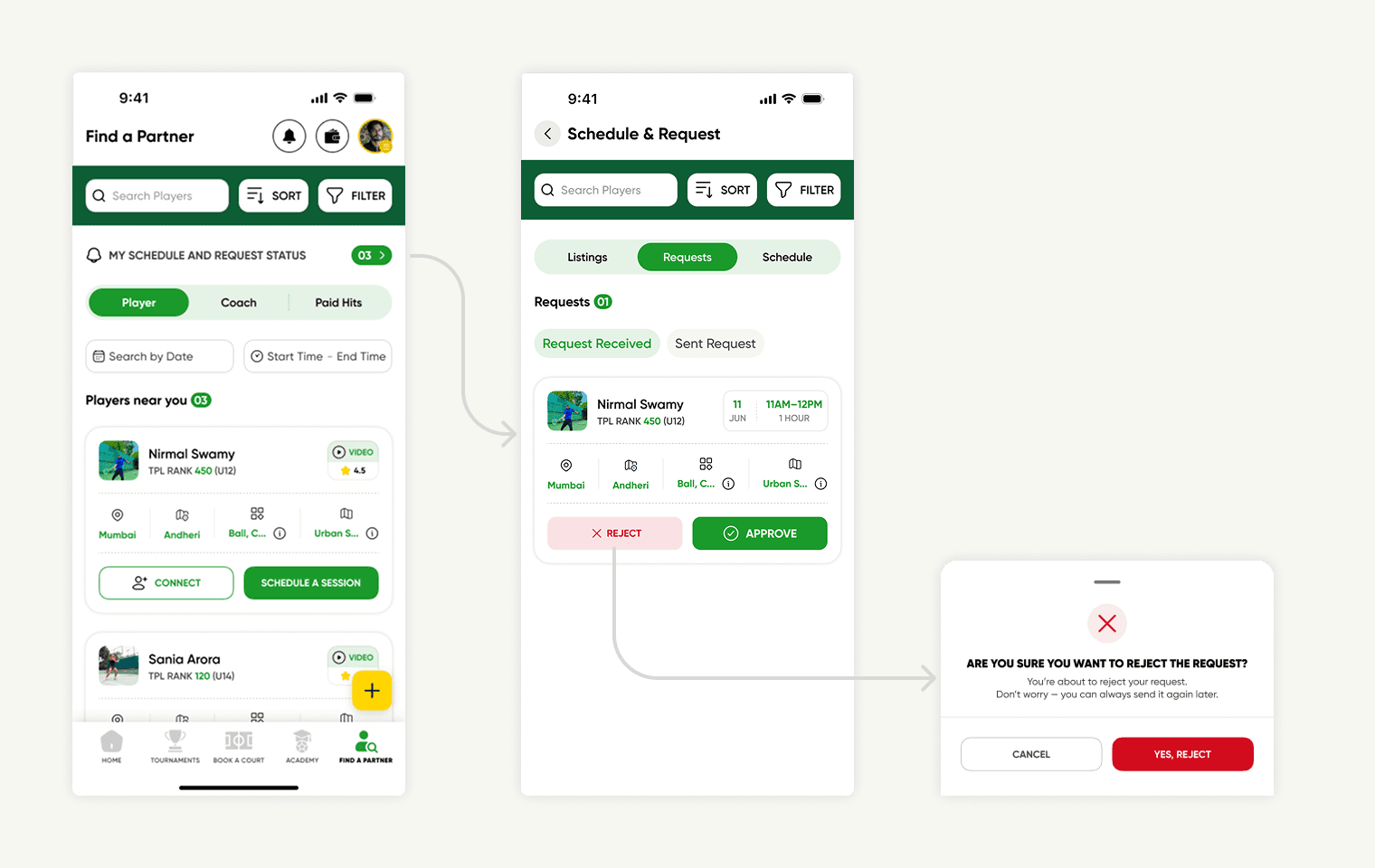
The “Find a Partner” feature was one of the most exciting aspects of our work. Its purpose is straightforward: to help users find a partner, coach, or professional (including paid sessions) to play with. Users can discover players nearby, connect with them, or schedule a session. If you’re not ready to book a session, you can simply connect and chat first. To address the key question, “How can I gauge another player’s skill level?” we introduced ratings and player videos, giving users a clear sense of who they might want to connect with.
The “Find a Partner” feature was one of the most exciting aspects of our work. Its purpose is straightforward: to help users find a partner, coach, or professional (including paid sessions) to play with. Users can discover players nearby, connect with them, or schedule a session. If you’re not ready to book a session, you can simply connect and chat first. To address the key question, “How can I gauge another player’s skill level?” we introduced ratings and player videos, giving users a clear sense of who they might want to connect with.
Contests
Contests
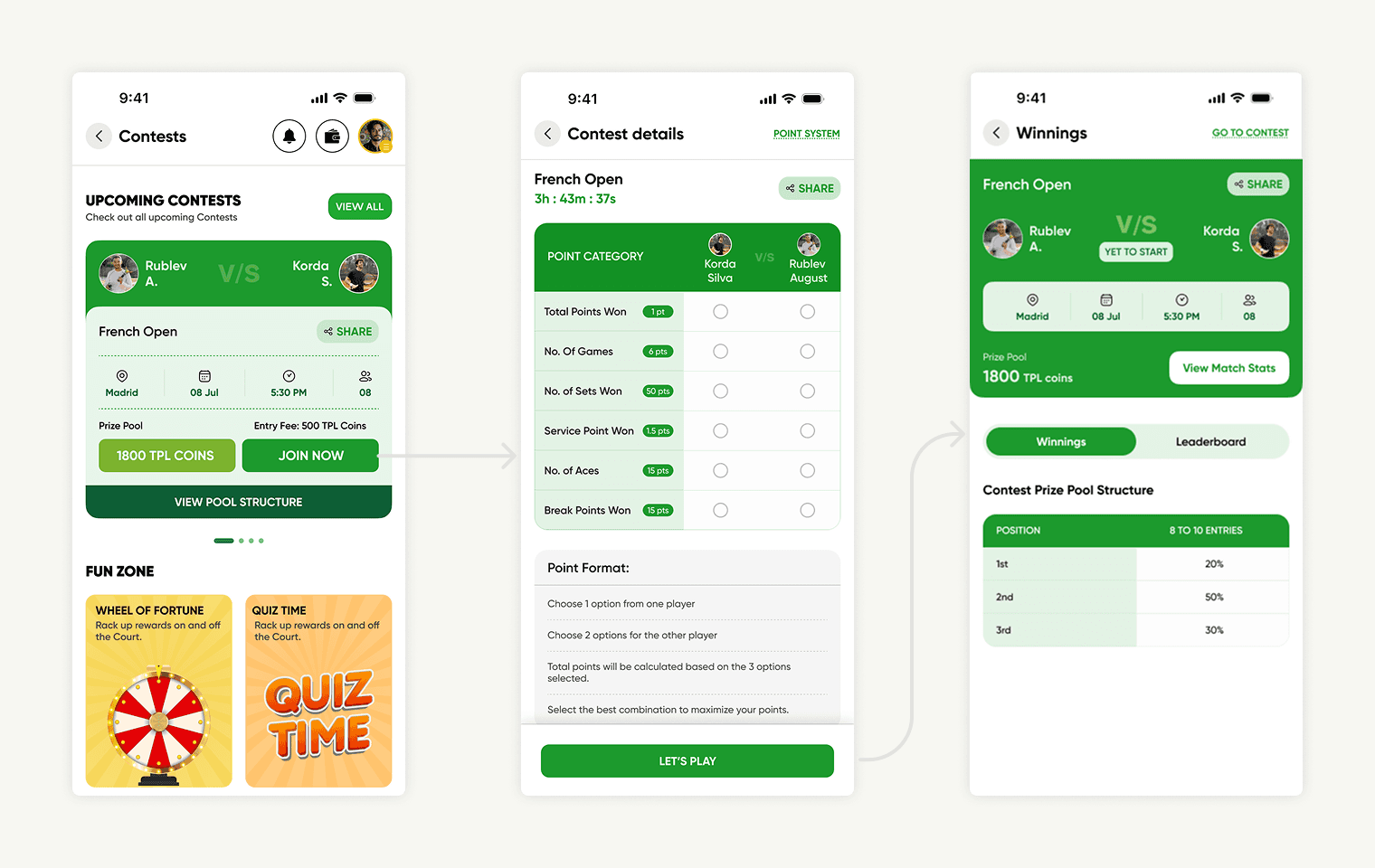
Contests are centered around joining and playing games in the Fun Zone. We improved the Contests flow by simplifying the contest cards and organizing information for easier scanning. The process is straightforward: when a user clicks “Join Now,” they are taken to a selection card where they choose a category and are informed about the point format.
Contests are centered around joining and playing games in the Fun Zone. We improved the Contests flow by simplifying the contest cards and organizing information for easier scanning. The process is straightforward: when a user clicks “Join Now,” they are taken to a selection card where they choose a category and are informed about the point format.
UI Redesign summary
UI Redesign summary
In this section, I’ve highlighted the main features of the TPL app—from the login screen to joining a contest. Throughout the design process, our team worked to balance stakeholder expectations with user needs, ensuring the interface is both appealing and intuitive.
In this section, I’ve highlighted the main features of the TPL app—from the login screen to joining a contest. Throughout the design process, our team worked to balance stakeholder expectations with user needs, ensuring the interface is both appealing and intuitive.
User Flow
User Flow
BOOK A COURT
BOOK A COURT
We designed the booking flow to be as straightforward as possible: users can browse available courts, tap ‘Book Now,’ choose their preferred time slot, and complete the payment. For added convenience, there’s also an option to rent rackets, balls, or other accessories for those who need equipment.
We designed the booking flow to be as straightforward as possible: users can browse available courts, tap ‘Book Now,’ choose their preferred time slot, and complete the payment. For added convenience, there’s also an option to rent rackets, balls, or other accessories for those who need equipment.
Add a profile
Add a profile
A standout feature of the TPL app is that parents can create and manage profiles for their children, enabling them to oversee activities and handle bookings on their behalf.
A standout feature of the TPL app is that parents can create and manage profiles for their children, enabling them to oversee activities and handle bookings on their behalf.
User Flows summary
User Flows summary
In this section, I’ve showcased two of the most important new user flows we designed - Book a Court and Add a Profile. These features are designed to streamline the user experience and deliver meaningful value to TPL users.
In this section, I’ve showcased two of the most important new user flows we designed - Book a Court and Add a Profile. These features are designed to streamline the user experience and deliver meaningful value to TPL users.
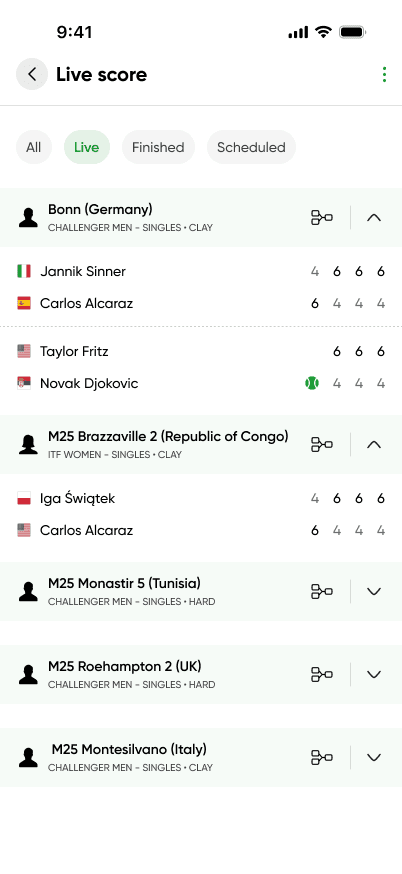
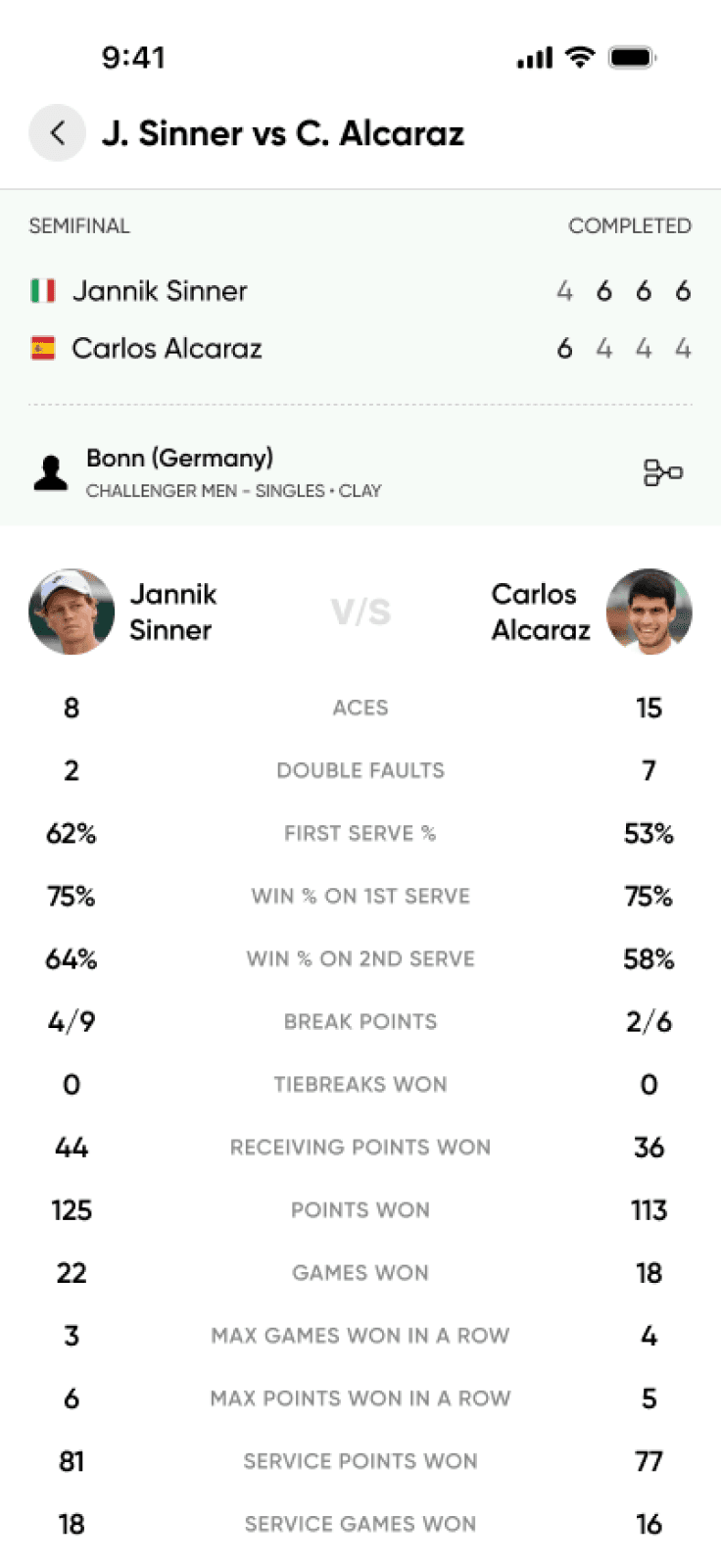
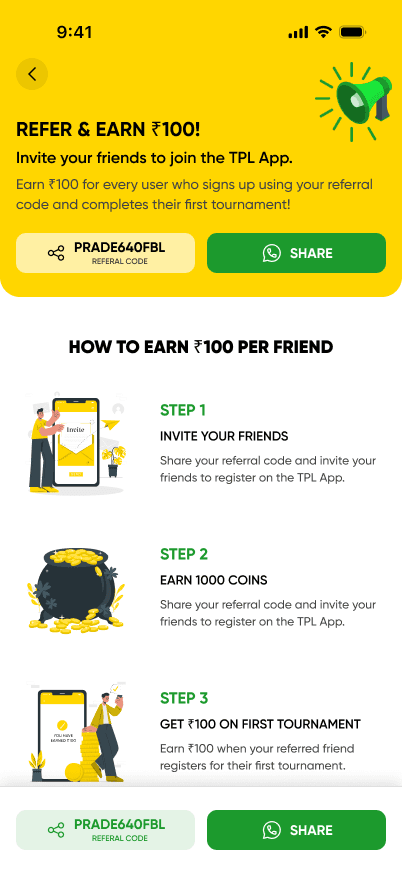
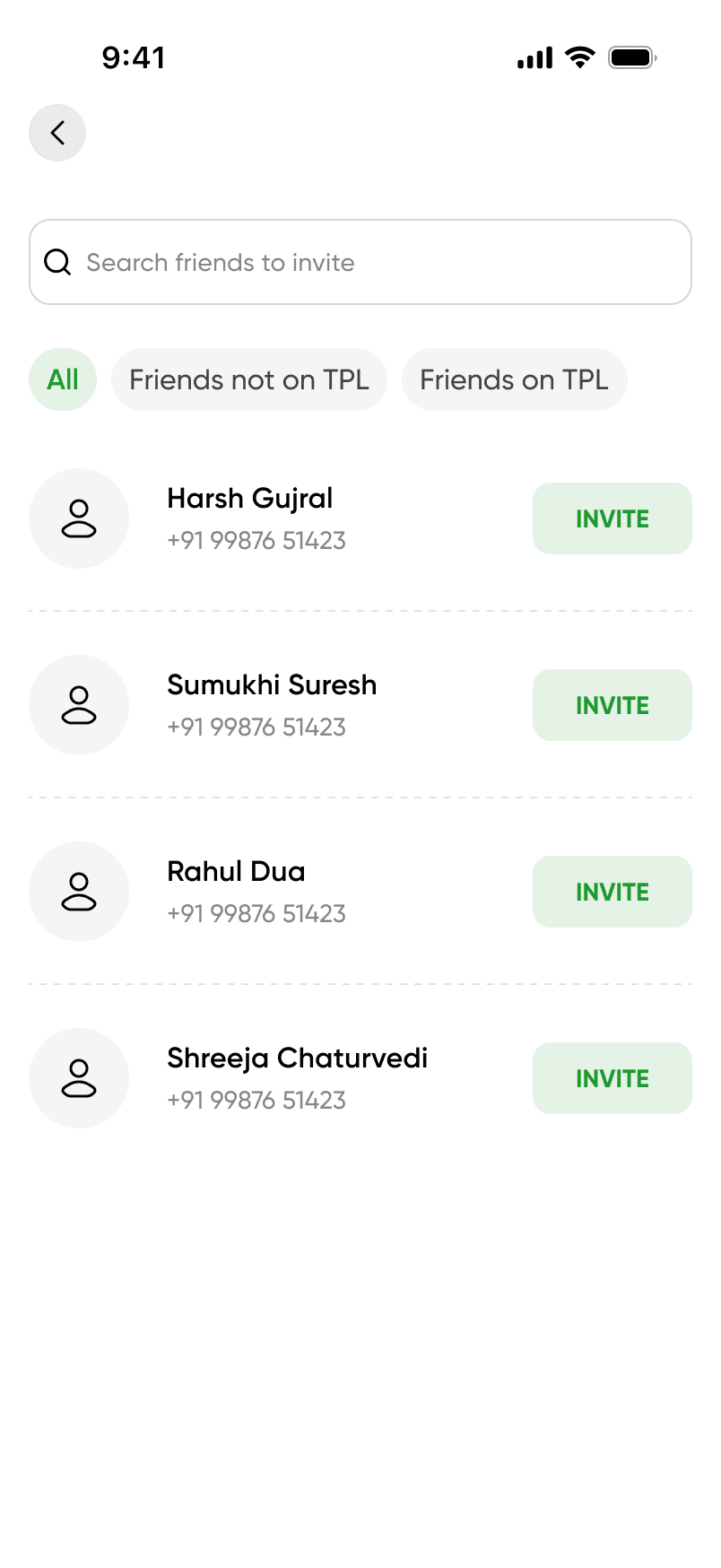
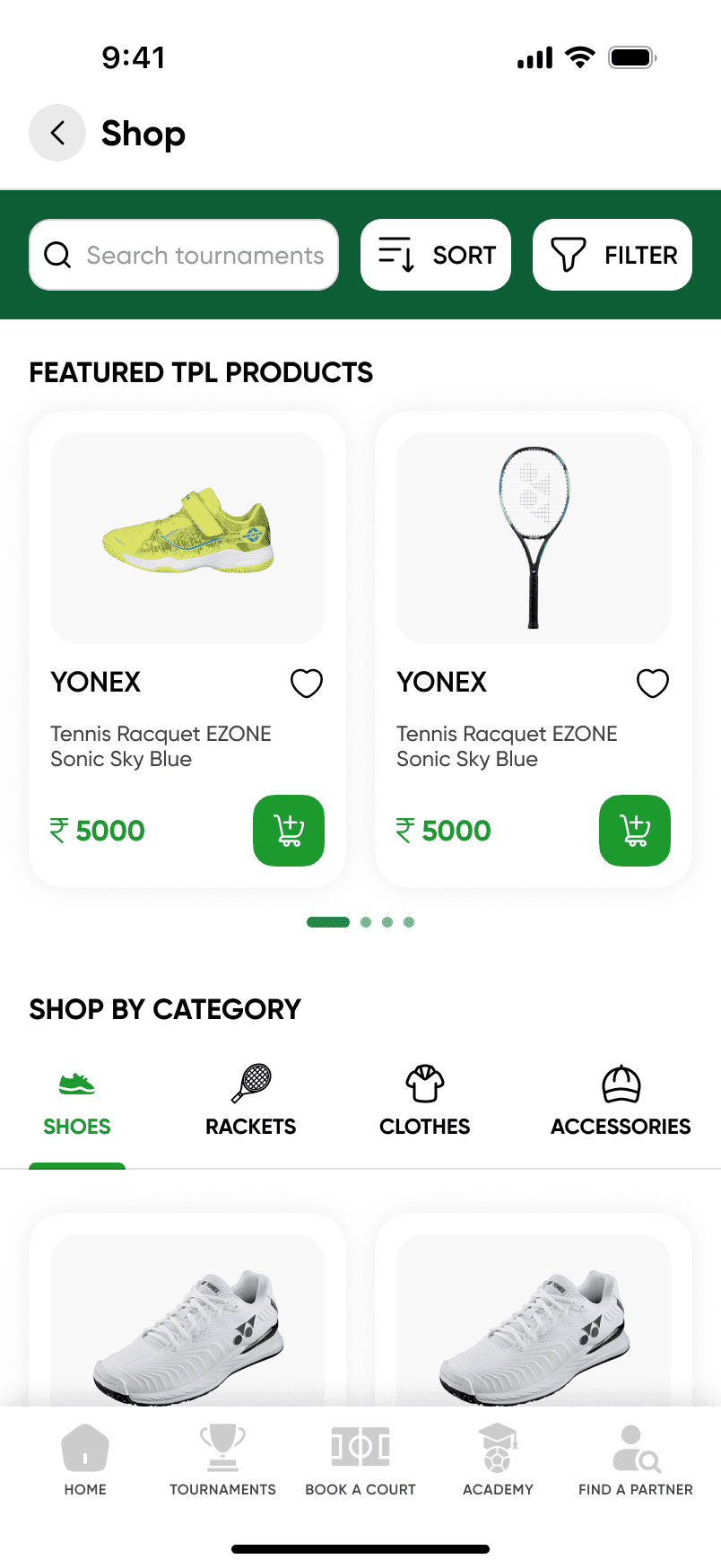
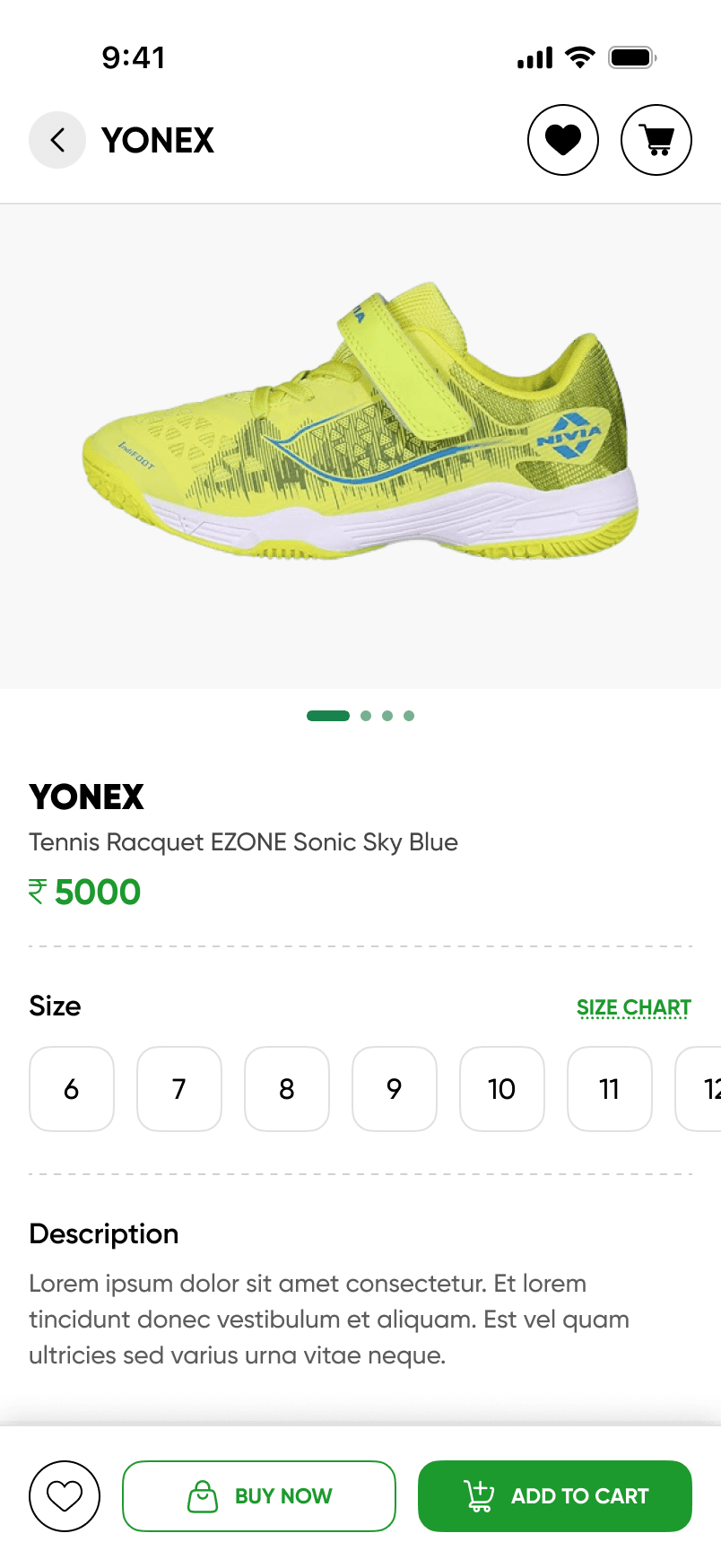
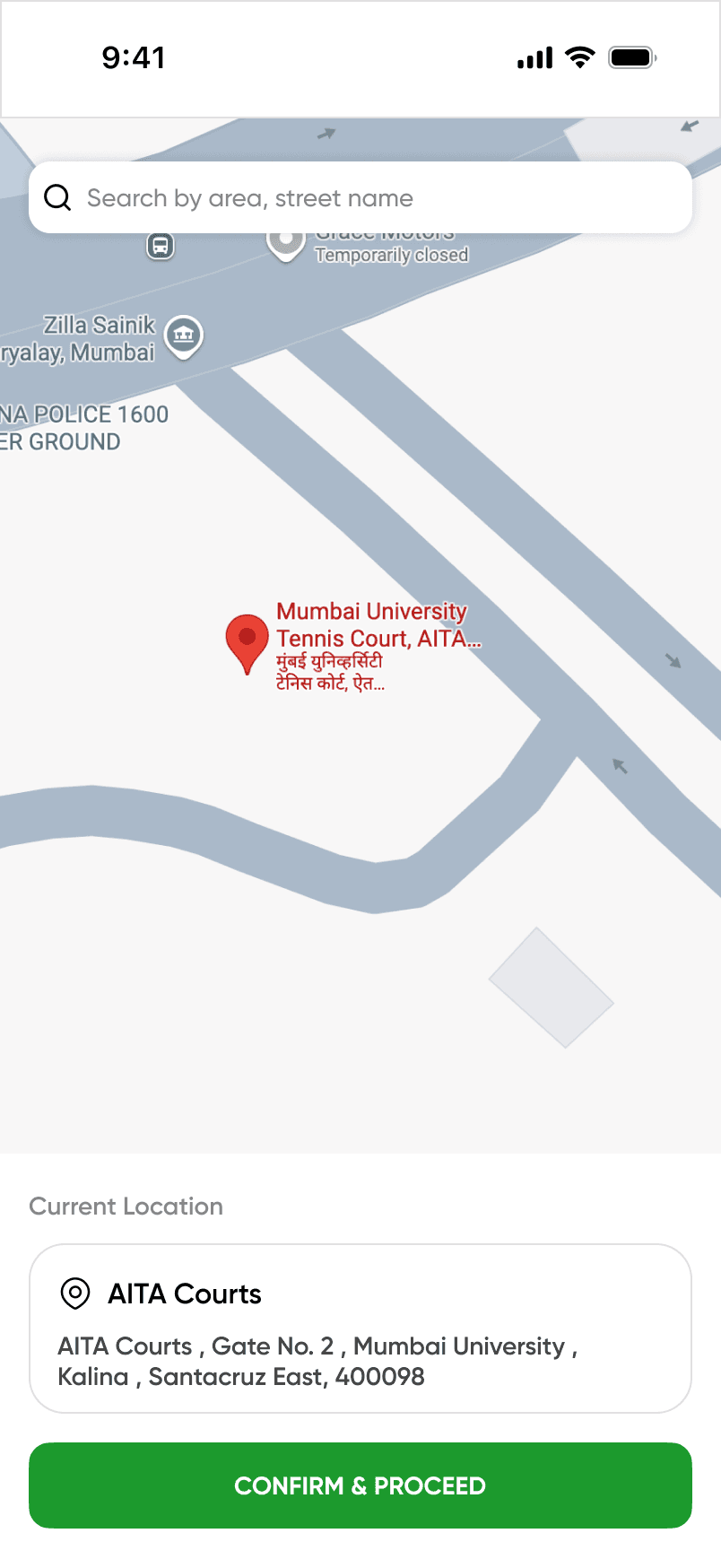
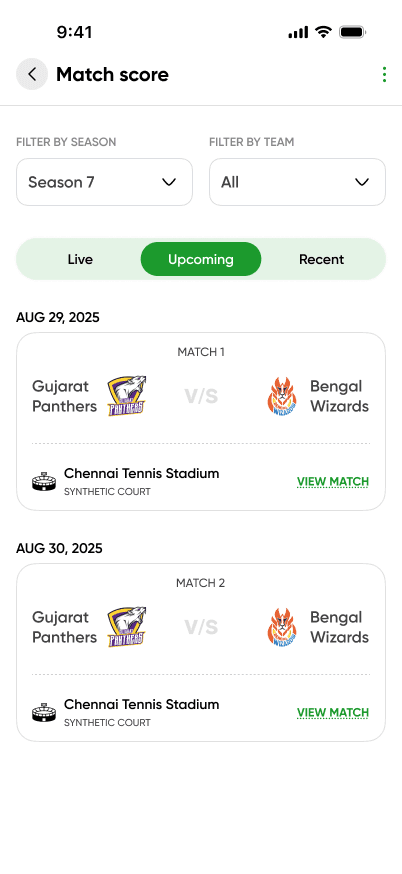
Other Screens
Other Screens
Final Thoughts & Impact
Final Thoughts & Impact
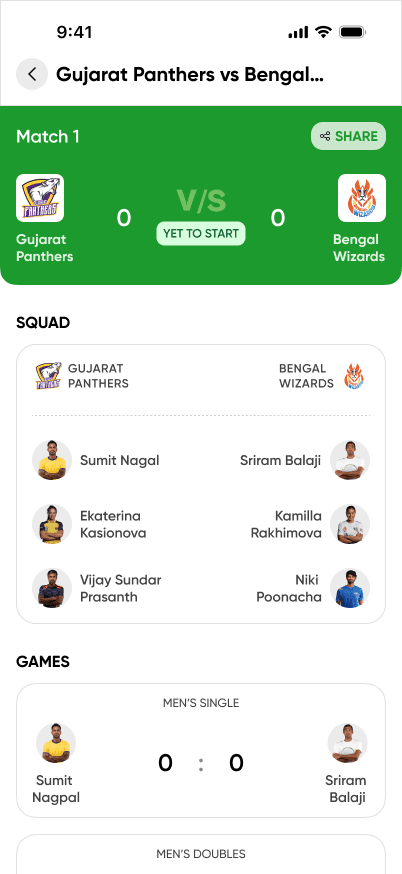
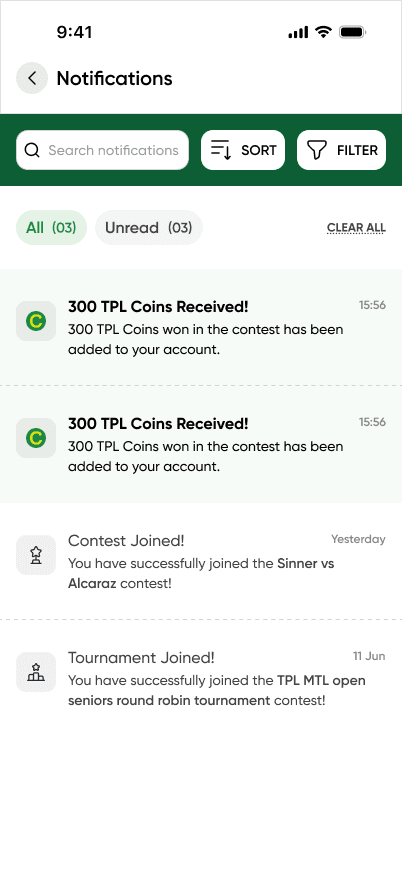
The redesign of the TPL app was focused on making things easier for users — from booking courts to joining tournaments. We worked on simplifying the flows, improving navigation, and making the key features more visible.
The redesign of the TPL app was focused on making things easier for users — from booking courts to joining tournaments. We worked on simplifying the flows, improving navigation, and making the key features more visible.
STATUS
STATUS
In the end, we not only met our deadline but delivered the project ahead of schedule. Currently, the app is in development mode.
In the end, we not only met our deadline but delivered the project ahead of schedule. Currently, the app is in development mode.
Unreleased project. Project designed while working at Evolute Global. All rights reserved by Evolute Global.
Unreleased project. Project designed while working at Evolute Global. All rights reserved by Evolute Global.